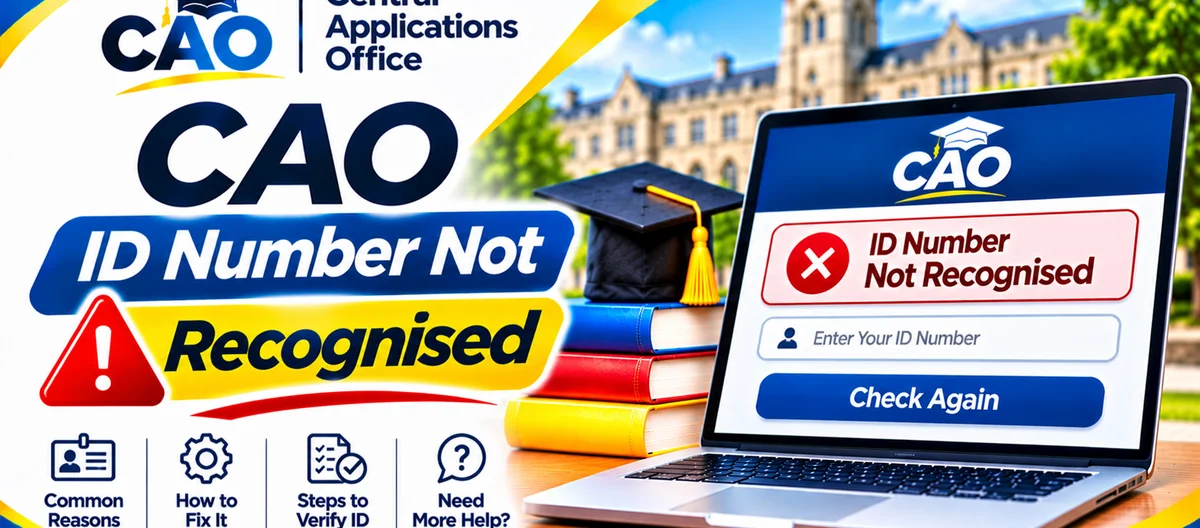
When CAO says your ID number is not recognised, it is telling you something narrow and specific: the number you typed does not line up with a record in the way you typed it. It is not a rejection, and it is not a final word on your application. Most of the time, the explanation is a typing slip, the wrong identifier choice, or a gap between the number on your application and the number you are entering now.
The causes below run from the simplest to the most serious, so you can rule things out in order before contacting CAO. Keep your identity document next to you as you go, and never share your full ID number publicly while asking for help.
Start with the correct route
Check My Application takes ONE identifier only: your CAO number, your South African ID number, or your passport number. No password belongs in that flow. The applicant login is separate, and it uses your CAO number and password.
If you are checking a status, use Check My Application, choose "ID number" as the identifier type, and enter your ID number on its own. Typing your CAO number while "ID number" is selected, or your ID number while "CAO number" is selected, will make the search fail — even when both numbers are perfectly correct on their own.
Trying to sign in to finish, upload or update your application is a different job altogether. Do not treat the status checker as a login, and do not put a password into the status checker.
Check your ID number digit by digit
A South African ID number is long, which is exactly why it trips people up: one wrong digit is enough to return no match. Put your green ID book, smart ID card or the ID copy you uploaded beside you, and compare what you typed character by character, from left to right.
Look out for these common errors:
- Two digits typed in the wrong order, often in the middle of the number.
- A digit left out, or an extra digit typed in.
- A space slipped in at the start or end, which often happens when you copy and paste.
- A zero entered as the letter O, or a one entered as a lower-case L.
- An old or temporary ID number entered instead of the number on your application.
Type the number slowly, with no spaces or dashes, unless the form specifically asks for a format — then try once more. Hammering away with the same wrong number does not help, and it makes it harder to tell whether a later, correct attempt actually worked.
On a phone, check that autocorrect or predictive text has not quietly altered the number. Typing it yourself is safer than accepting a suggestion from the keyboard.
Try another identifier from the same application
If the ID number still is not recognised, try your CAO number in Check My Application instead. Choose "CAO number" as the identifier type, and enter the CAO number from your application email or acknowledgement letter.
A useful clue hides in the result. If the CAO number works but the ID number does not, the trouble is specific to how the ID number was recorded or entered — not to whether your application exists at all. Make a note of that result, because it will help CAO help you.
If neither identifier works, the application may not have been fully processed yet, may never have been fully submitted, or may carry an identifier different from both numbers you tried. Work through the next sections before assuming the worst.
Was the ID number entered correctly on the original application?
Your record is matched to the identifier you gave when you applied. If that first entry contained a typing error, the correct ID number from your identity document will not match the record — because the record itself is holding the wrong number.
Signs that this may have happened include: your CAO number works but your ID number does not; your acknowledgement letter shows a different ID number from your identity document; or you remember rushing through the application form without checking the summary page properly.
CAO's terms state that the acknowledgement letter contains the details you provided, and that you are responsible for checking it and updating any errors online, within one week after the letter is sent. If you spot an ID error in that letter, correct it through the official Update My Details route as soon as you can, and keep a record of the change.
If you never received an acknowledgement letter, or you no longer have it, do not start guessing which wrong number might be sitting on the record. Gather your identity document and contact CAO through its official channels, explaining that your ID number is not recognised and that you suspect a recording error. CAO can point you to the right correction route. Do not send your full ID number to an unofficial address, and do not post it in a public group.
Is your application complete and paid for?
An incomplete or unpaid application might not show up the way you expect. CAO states that an application has to be fully completed, submitted by clicking "Process My Application", paid in full, and backed by the required documents before institutions can see it.
Ask yourself whether you saw the successful submission message, whether you paid the full administration fee, and whether you allowed until the next business day for that payment to reflect. If you applied or paid very recently, wait until the next business day and try again.
The entry cycle matters too. If you applied for a previous cycle, or you are checking a cycle that has not yet opened for your intended start date, your record may not appear as a current application. Make sure the cycle you are checking matches the one you applied for.
When to contact CAO
Get hold of CAO through the contact details shown on cao.ac.za if any of these is true: you have checked the number digit by digit against your identity document; you have tried your CAO number as an alternative identifier; your acknowledgement letter shows a different ID number; you completed and paid for your application more than a few business days ago; or you believe the identifier on your application is wrong.
Before you make contact, prepare a short, private note: the identifier type you selected, the exact message you saw, the dates you applied and paid, and whether you received an acknowledgement letter. Leave your password out of it, and do not post that note publicly. If CAO asks you to verify your identity, do so only through its official channels.
If the real issue underneath is an institution's selection decision, contact that institution directly. CAO processes applications and passes them on; institutions decide who is offered a place.
Step-by-step summary
- Open Check My Application, choose "ID number", and enter only that number.
- Compare every digit with your identity document, leaving out all spaces and dashes.
- Try your CAO number as another identifier.
- Look at your acknowledgement letter for the number that was actually recorded.
- Confirm that you submitted, paid in full, and allowed for the next-business-day payment delay.
- Stick with the identifier from your original application, not a newer document, until your record has been updated.
- Reach CAO through cao.ac.za if the number still stays unrecognised.